Email Verification in 2026: What Actually Matters (And How Validation App Fits In)
Validation App Team
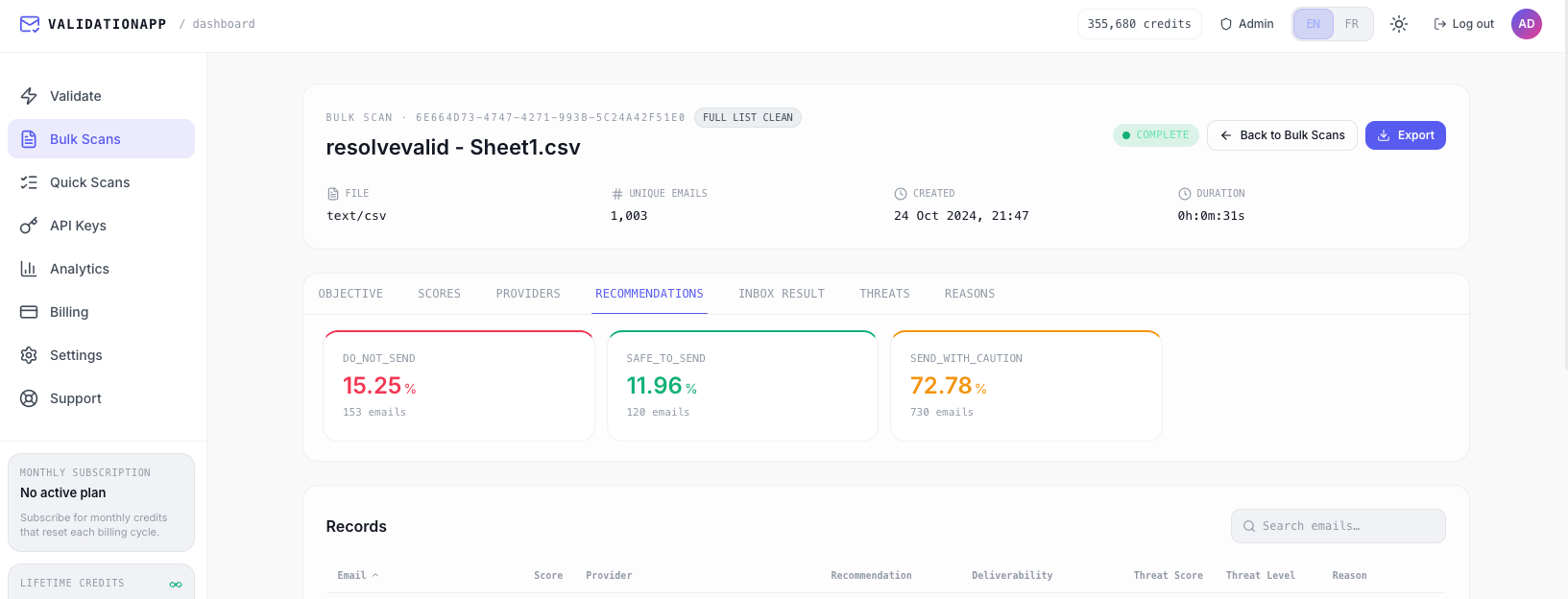
If you send any meaningful volume of email, you've probably felt the pain of dirty lists: high bounce rates, spam complaints, and a sender reputation that quietly decays until even good campaigns land in spam. Modern inbox providers are unforgiving—sustained bounce rates above roughly 2% can hurt deliverability dramatically.
That's why email list cleaning has gone from "nice to have" to basic hygiene for marketing teams, agencies, and anyone serious about B2B email.
The problem email verification is solving
At a high level, a good verifier should help you:
Remove invalid or dead addresses before you send, cutting hard bounces.
Filter out disposable, bot, and role accounts that drag down engagement and reputation.
Identify risky addresses (like catch-all or protected mailboxes) so you can decide how aggressive to be.
The result: fewer wasted sends, more messages in the inbox, and less risk of ending up on blocklists.
What most tools have in common
If you look across the major services, a few patterns stand out:
Layered checks — Almost everyone does some combination of syntax validation, domain/MX checks, and SMTP-level mailbox verification, sometimes with proprietary scoring on top.
Similar accuracy claims — Serious tools tend to cluster around 98–99%+ "accuracy" on clean lists, with marketing promising very low bounce rates after cleaning.
Bulk + API in one product — A typical flow is: upload a CSV for legacy lists, and plug a REST API into your signup forms, CRM, or outbound tools for ongoing use.
Freemium + hybrid pricing — Many offer a small free quota plus pay-as-you-go packs and monthly subscriptions, with the unit price dropping at higher volumes.
In other words: at the surface level, the ecosystem looks crowded and similar. The differences show up in the details.
5 questions to ask before choosing any email verifier
Instead of comparing brands, it's more useful to compare behaviors:
Does it actually talk to the mailbox? Some services lean heavily on pattern and DNS checks; others perform real SMTP handshakes (with safeguards) to see whether a mailbox can accept mail. That matters more for B2B and enterprise domains, where patterns alone are not enough.
How does it treat catch-all and protected domains? Many corporate and privacy-focused providers intentionally obscure mailbox status. A good verifier should clearly label these as catch-all or unknown and let you decide whether to send, instead of pretending everything is fine.
What counts as "accurate"? A 99% accuracy claim can hide very different behavior depending on how often addresses are classified as unknown or risky. Look for tools that are explicit about categories—valid, invalid, disposable, role, risky, unknown—and clear send recommendations rather than a single magic score.
Is pricing aligned with how you actually use email?
If you mostly clean lists a few times a year, non-expiring pay-as-you-go credits are ideal.
If you validate every signup or every campaign, a monthly subscription with lower per-email cost will be cheaper long term.
Does the interface match your team? Marketers care about simple dashboards: upload → preview → clean → download segments → send. Developers care about API latency and predictable JSON. The best tools treat both as first-class workflows—but if your team is mostly marketers, the dashboard should not require an engineer to operate.
How Validation App approaches this
Validation App is built around those same questions, with a marketer-first workflow and an API for teams that need automation:
Honest checks with clear send recommendations — Validation App goes beyond syntax and MX records. Where providers allow it, we perform SMTP-level checks, then label addresses with deliverability status and a send recommendation (such as safe to send, send with caution, or do not send). Disposable, role-based, and catch-all or risk domains are flagged clearly—no "it's probably fine" guesses.
Built for list cleaning, not just single emails — Upload a CSV, run a free list preview on a sample, then clean the full file when you're ready. Download segments tuned for campaign goals—every row, best reach, or maximum safe reach—so you can match aggressiveness to your send strategy.
A dashboard marketers can run without help — The product is designed for people who just want to clean a list before a campaign: upload, watch progress, download cleaned contacts. You don't need to think about APIs if you don't want to.
REST API when your product or ops team needs it — For signup forms, CRM imports, or internal tools, the same classification logic is available through a clean REST API—secondary to the dashboard, but fully supported for builders.
Pricing that fits bursty and steady usage — Validation App offers:
A free list health preview with 100 validation credits on the trial page.
Monthly subscription plans sized for typical team volumes.
Lifetime pay-as-you-go packs (up to 500,000 credits) that never expire—ideal when you clean lists a few times a year.
You can also try a single email on the landing page without an account—useful for a quick sanity check before you commit credits to a full list.
Where to start
If you're not using verification today, the simplest way to try it is:
Export a small slice of a real list (a few hundred rows is enough).
Run a free list health preview on the trial page—upload your CSV sample and review deliverability scores and send recommendations.
Send a small campaign to a cleaned segment and compare bounces, complaints, and engagement against your usual results.
Seeing the difference on your own data is far more convincing than any accuracy percentage on a website.
If you're already using another verifier, treat Validation App as a second opinion: run a subset through both and compare how they handle risky and protected domains. That's where tools diverge—and where your sender reputation is won or lost.
Ready to preview your list? Start your free list health preview—no commitment required.